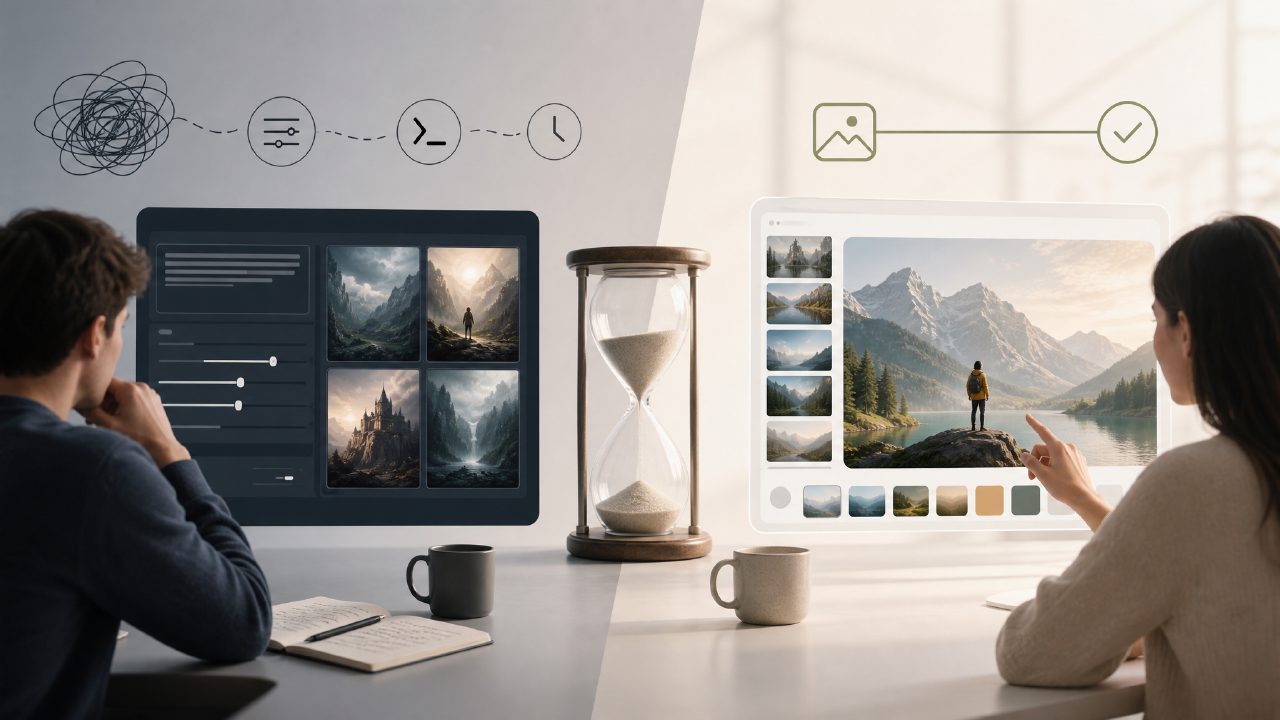
I’ve been generating AI images for a while, mostly using Stable Diffusion locally. It’s powerful, but every time I wanted to iterate quickly or test a new idea on a different machine, the setup friction got old. I started looking for a simpler alternative that still gave me decent results without needing to babysit a terminal or manage model files. That’s when I spent a week comparing Stable Diffusion (run locally via Automatic1111) against something more turnkey: Vizly.
Why I bothered comparing them at all
The trigger was a specific need: I wanted to generate a consistent character across several scenes. With Stable Diffusion, I knew I could use Dreambooth or LoRA to get consistency, but that’s a multi-hour project that involves gathering training images, finding a decent checkpoint, and tuning hyperparameters. For a one-off idea I wasn’t committed to, that felt like too much. I needed something faster—even if it meant trading off some control.
Vizly claims to be an AI image generator that turns text prompts into visuals in minutes. No local install, no GPU requirements, just a browser. I wanted to see if that convenience actually held up in practical use, or if the results fell short compared to the full Stable Diffusion pipeline.
Concrete observations from real use
I ran three test scenarios with both tools: generating a photorealistic portrait, creating a fantasy landscape with specific lighting, and producing a product mockup (a coffee mug on a table).
For the portrait, Stable Diffusion with the Realistic Vision checkpoint gave me excellent skin texture and lighting control after about 20 minutes of prompt tweaking and seed hunting. Vizly gave me a good portrait on the first try—clean, well-composed, but slightly more “generically AI” looking. The edges around the hair were softer, and the lighting didn’t have the same natural falloff. But the key difference: Vizly took me 90 seconds. For most content purposes, that’s probably fine.
For the fantasy landscape, Stable Diffusion handled complex prompt logistics (e.g., “misty morning in a pine forest with a distant castle”) better because I could use negative prompts to remove unwanted artifacts. Vizly struggled with the prompt length—it seemed to cap out or lose details on longer descriptions. I got a decent image, but the castle was missing entirely. Retrying with a shorter prompt worked, but I had to simplify my vision.
The product mockup was the most telling. Both tools handled it reasonably well, but Stable Diffusion required me to either use an inpainting workflow or a specialized checkpoint to avoid weird distortions on the mug shape. Vizly just did it without fuss. The mug looked a bit too plastic-like, but the placement and reflections were solid.
A tradeoff worth noting
The biggest practical tradeoff is control versus speed. Stable Diffusion gives you endless levers: CFG scale, samplers, seed control, upscalers, model merges. You can spend hours dialing in one perfect image. Vizly is a black box—you type a prompt and it gives you something. Sometimes that something is exactly what you wanted; sometimes you realize you can’t fine-tune the output without starting over. I found myself missing the ability to adjust a specific detail without regenerating everything.
Where I felt cautious
I’ll say this honestly: Vizly’s results are good for a free ai image and video generator 2026 might offer, but they’re not consistently at the level of a well-tuned Stable Diffusion setup. For one-off social media graphics or concept art drafts, it’s fine. For anything that needs to hold up to close inspection—product listings, detailed illustrations—I’d still lean on Stable Diffusion unless you’re okay with spending extra time on manual editing afterwards.
Also, Vizly’s pricing model wasn’t entirely clear to me when I started. There’s a free tier, but it introduced watermarks and limited resolution. The paid tier removes those, but then you’re comparing it against the effective cost of running Stable Diffusion on your own hardware (or renting a cloud GPU). For infrequent use, the free tier of an ai text to image video generator free service is appealing, but if you generate more than a few dozen images per month, the math shifts.
One thing that mildly annoyed me: Vizly’s prompt interpretation seemed to vary in ways I couldn’t predict. With Stable Diffusion, if I write the same prompt twice with the same seed, I get the same image. With Vizly, identical prompts sometimes produced different compositions. That made iteration less reliable—I couldn’t find a consistent starting point to build on.
Scenarios that guide the choice
- You need to experiment quickly (e.g., brainstorming visual concepts for a client): Vizly is faster to start and produces usable results within a minute.
- You need high control and consistency (e.g., maintaining a character design across multiple scenes): Stable Diffusion’s ecosystem of checkpoints and fine-tuning is superior.
- You’re on a strict zero-budget and have a decent GPU: Stable Diffusion (with its open-source tools) is the better long-term investment. If you have no GPU, Vizly’s free tier wins by default—just be prepared for limits.
My recommendation
If you’re just starting with AI image generation or you need results fast without caring about fine-grained control, start with vizly. It’s easy to use and gets you to a solid first image quickly. However, if you find yourself wanting to tweak results, re-roll with specific adjustments, or generate production-quality visuals consistently, invest the time to learn Stable Diffusion. The learning curve is real, but the control it gives you is worth it for serious use. Both have a place—just make sure you know which type of frustration you’re more comfortable with: setup complexity or output limits.
Comments
Leave a Comment