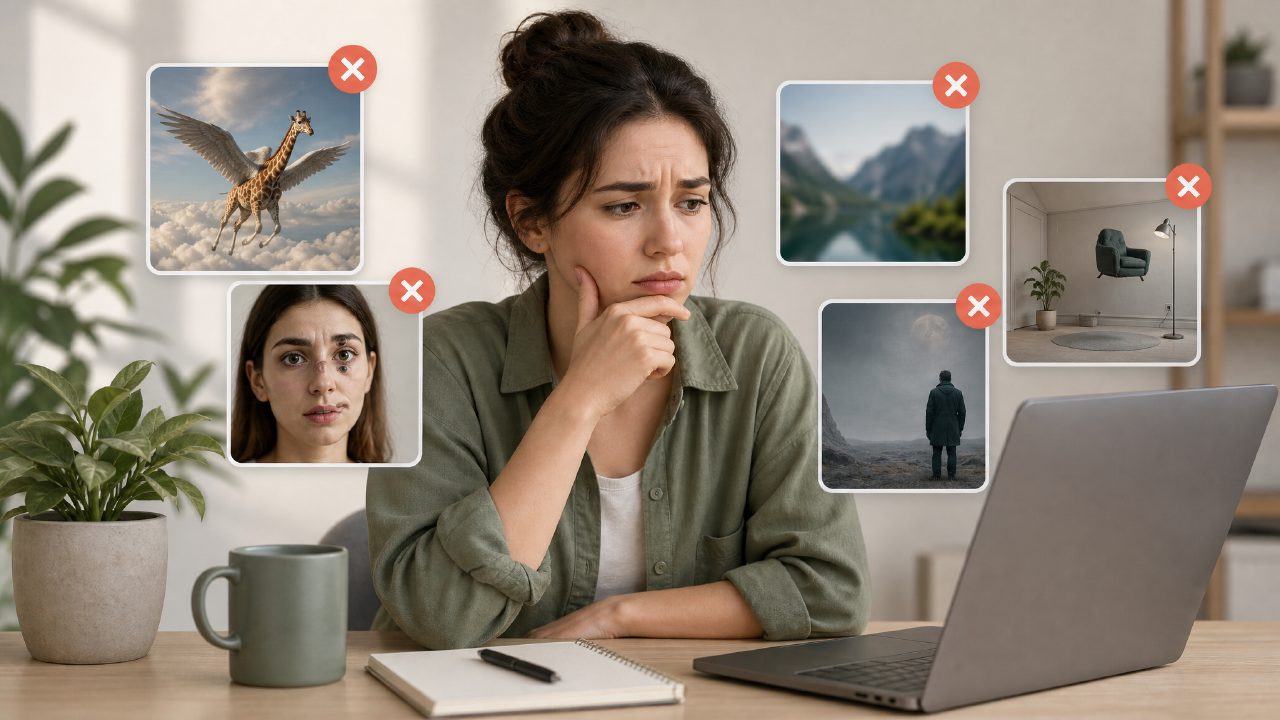
I've been testing a handful of AI image generators over the past few weeks, mostly to see which ones actually deliver on the "text-to-image" promise without wasting hours on troubleshooting. Vizly Image Studio was one I spent extra time with, and while it's not perfect, it helped me notice a set of recurring mistakes people make when jumping into any AI image generator — mistakes that can turn a quick creative session into a frustrating hunt for usable output.
If you're looking for an AI image generator that feels fast and doesn't require a technical setup, Vizly is a decent starting point. But there are some gotchas you should know before you sink time into it or any similar tool.
The "more words, better image" trap
Probably the most common mistake I see is tossing in a vague, one-line prompt like "a red apple" and expecting something portfolio-ready. That almost never works. With Vizly, a short prompt gives you something generic and often oddly disjointed — the apple might float in an empty white void with weird shadows. You need to add context: lighting, angle, mood, background. I found that prompts around 20–30 words produced the best results, but the tradeoff is that you accidentally contradict yourself and the generator picks up the wrong half of your sentence.
For example, I tried "a red apple in a bowl on a wooden table, soft morning light, realistic texture, shallow depth of field." The result was decent but the bowl looked like it was made of wax. That's the kind of limitation you just have to accept with any current AI image generator — realism is spotty, especially on complex surfaces.
Free unlimited? Not really
One of the biggest selling points of many AI image generators is the phrase "ai image generator free unlimited." I dug into this with Vizly because their landing page suggests free usage. The reality: the free tier gives you a daily limit of around 20–30 images, and once you hit it, you either wait or upgrade. That's not unlimited in any practical sense. If you're searching for the best free ai image generator 2026, be aware that most services cap you somewhere — Vizly's limit is generous for casual experimentation, but if you need to generate hundreds of images for a project, you'll either need the paid plan or look at open-source alternatives with more flexible quotas.
Text rendering: still a weak spot
If your project requires legible text inside the image (like a sign or a logo mockup), be prepared for disappointment. I tried generating a coffee shop sign with the word "OPEN" in Vizly. The letters were scrambled, missing curves, or turned into decorative squiggles. This isn't unique to Vizly — every AI image generator I've tested struggles with accurate character rendering. It's a realistic limitation you should plan around. Either add the text manually in a graphic editor or avoid including text in your prompts altogether.
The UI and control tradeoff
Vizly is deliberately simple. You type a prompt, pick a style preset, and hit generate. That's great for quick ideation — I used it to create mood boards for a blog post and got usable roughs in under a minute. But the simplicity means you lose granular control. There's no negative prompt, no seed setting, no way to adjust step count. That's fine for non-technical users, but if you come from something like Stable Diffusion or Midjourney, you'll feel handcapped. It's a realistic tradeoff: speed and ease vs. precision.
Scenarios where it makes sense vs. where it doesn't
I ran two concrete tests: one for social media thumbnail backgrounds, another for a client's packaging concept. The thumbnails came out surprisingly usable — abstract, colorful, and quick to iterate. The packaging concept was a mess. The generator kept adding weird elements (a floating spoon for a cookie package), and I couldn't nudge it without rewriting the whole prompt. So for loose creative experiments and filler visuals, Vizly works. For anything product-ready or branded, you'll need heavy manual editing.
Also worth noting: if you look for "best free ai image generator 2026," Vizly is a solid candidate as long as you understand the daily cap and the quality ceilings. But don't expect it to replace a designer or a more advanced tool for precision tasks.
Final thoughts
AI image generators like Vizly are useful, but only if you adjust your expectations. They're fast sketches, not finished art. They get confused by compound objects and struggle with text. They come with hidden limits that "free unlimited" labels gloss over. My advice: treat them as a brainstorming assistant, not a final production tool. If you keep that boundary clear, you'll waste less time and end up with images that actually serve your project.
Comments
Leave a Comment