Let’s be real—most AI-generated art looks polished but dead inside. You get perfect lighting, flawless composition, and zero personality. That’s fine for mood boards or concept mockups. But if you’re trying to make professional art that actually makes people stop scrolling, smirk, or double-tap, you need humor. And humor is the one thing most AI tools suck at.
I’ve been testing Vizly Image Studio for a few weeks, mostly to see if it can handle the weird, self-aware kind of visual jokes that human illustrators nail. Turns out, it can—if you know how to prompt it. Here’s what I found.
The problem: AI takes everything too seriously
Default prompts like “a professional portrait of a CEO in a modern office” generate images that could belong in a stock photo catalog from 2014. There’s no tension, no wink to the viewer. The AI wants to satisfy the prompt literally, so you end up with technically correct but emotionally flat results.
To get humor, you have to inject contradiction, exaggeration, or unexpected context. Vizly handles this better than most generators I’ve tried, partly because its prompt interpretation is less brittle—it doesn’t collapse into photorealism the moment you ask for something absurd.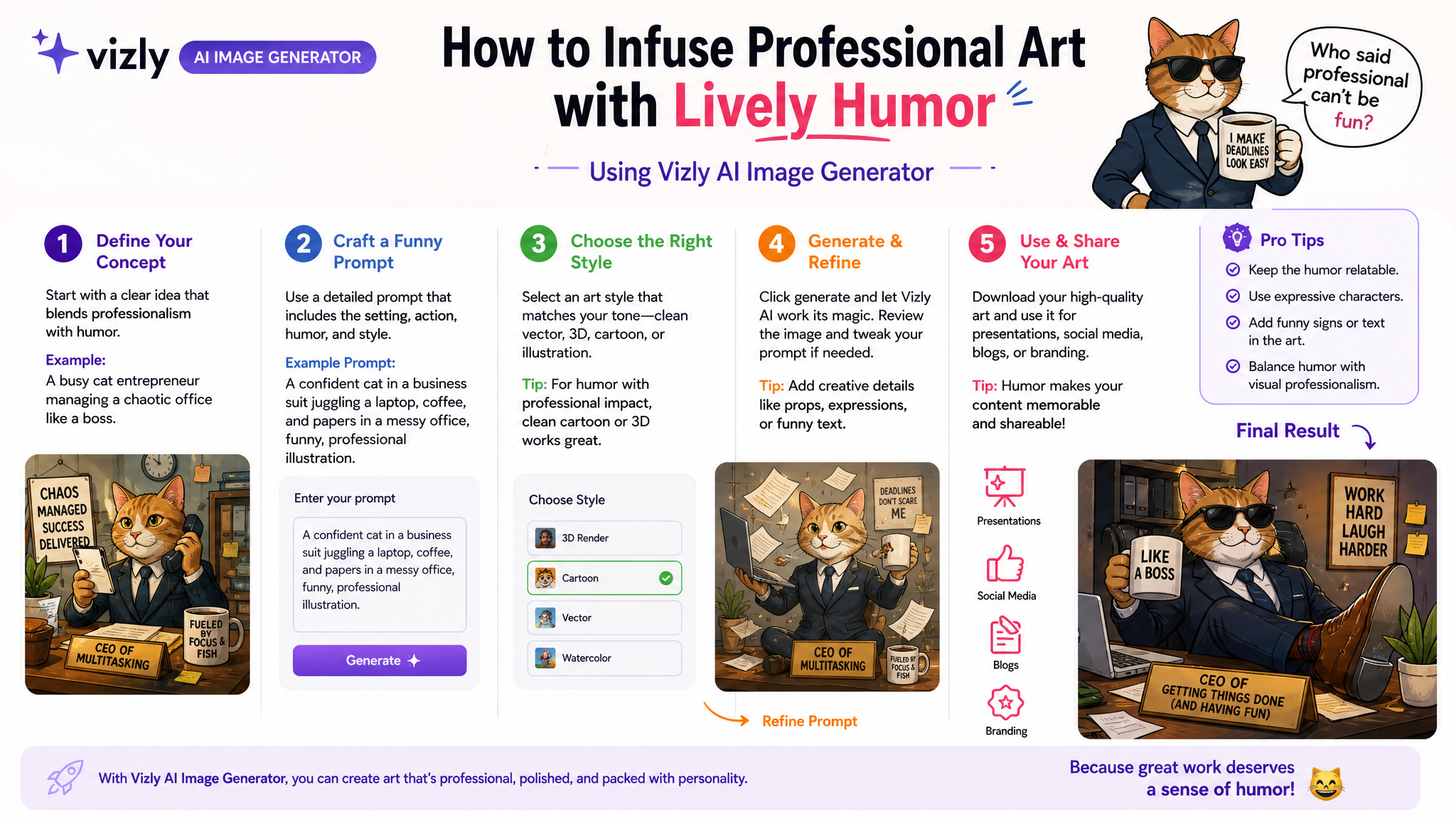
Three real scenarios where Vizly delivered
1. The “serious product, ridiculous setting”
I needed a hero shot for a luxury watch campaign—but with a twist. Instead of a marble table, I prompted “a high-end wristwatch lying on a messy desk covered in half-eaten instant noodles, coffee rings, and a sticky note that says ‘send invoice.’” Vizly kept the watch crisp and dramatic, while making the background deliberately chaotic. The result looked intentional, not sloppy. The humor came from the tension between the premium product and the human reality of working late.
2. The “polite chaos” corporate illustration
For a blog post about remote work burnout, I needed an illustration of a professional meeting—but everyone’s pet has taken over. Prompt: “a video call screenshot from a corporate boardroom, five serious executives in suits, but each has a cat or dog sitting on their head, looking unimpressed.” Vizly kept the suit textures and expressions sober, while the animals were rendered with just enough absurdity. The contrast is what sells the joke.
3. The “worst case scenario” infographic
I tried a fake safety poster for an internal slack channel: “a dry, corporate safety poster style image showing a man tripping over a banana peel in an open office, with a speech bubble that reads ‘I should have used the AI.’” Vizly generated the sterile background perfectly, and the banana peel looked hilariously out of place. The speech bubble was readable and fit the deadpan tone.
Where Vizly still struggles with humor
It’s not perfect. Subtlety is hard. If you want a character rolling their eyes or a deadpan expression that can’t be misinterpreted, Vizly sometimes defaults to exaggerated emotions that kill the joke. The facial expression controls are still limited compared to human artists who know exactly how much restraint to use.
Also, text in images is hit-or-miss. Short phrases work, but longer labels on infographics often get mangled. If your joke depends on a specific caption, you’ll want to add it in post or keep it short enough that a garbled version still makes sense.
Should you use Vizly for humorous professional art?
Depends on your audience. If you’re making social content, internal memes, or promotional visuals where the humor is rooted in contrast (professional vs. ridiculous), Vizly is a solid shortcut. You don’t need to draw or hire an illustrator. You just need to think like a writer first—craft the scenario, then let Vizly fill in the visuals.
But if you need specific comedic timing, character expression, or cultural references that require exact visual execution, you’re still better off with a human artist or at least heavy iteration. Vizly gives you speed, not subtlety.
For my own workflow, I use it for first drafts. I prompt a few variations, pick the one with the strongest visual joke, and then tweak text or details manually. That hybrid approach keeps the humor intact without the pain of starting from scratch. Vizly isn’t a comedian—but it’s a surprisingly good setup artist.
Comments
Leave a Comment